
Voice and photo input
Dictate a stream of thoughts or snap a handwritten list — AI splits it into separate tasks.
A task manager where you don’t force yourself — you choose. Empty your head, mark what you feel like doing, and work through a short list.
How it works
Work, errands, ideas, calls — into one list. No sorting, no priorities. Your head already feels lighter.
Go down the list asking one question: do I want to do this more than the last one I picked? That builds a chain — the FVP method by Mark Forster.
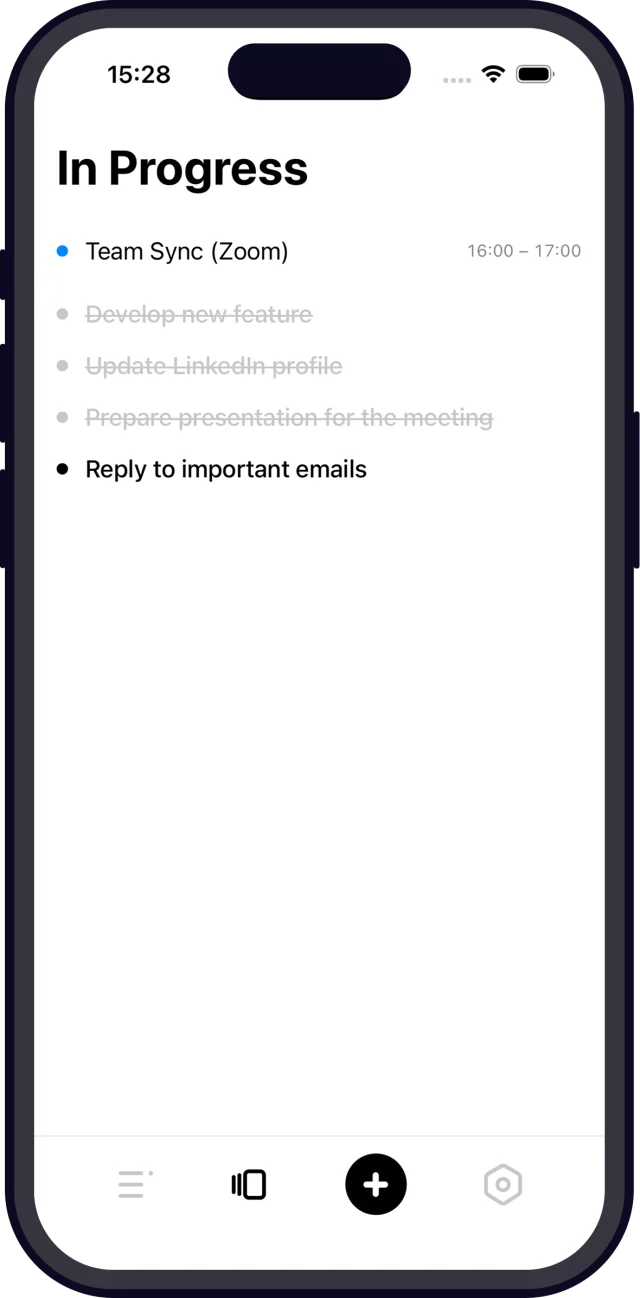
In Progress shows only what you picked, starting with the one you want most. Done with one — move to the next. Everything else waits in Plans.
Dictate a stream of thoughts or snap a handwritten list — AI splits it into separate tasks.
Apple and Google Calendar events sit right above In Progress, so you see how much time you really have.
Completed tasks clear instantly, when you end the session, or with an evening cleanup — your call.
Tasks and events on the Home Screen, Lock Screen and in Control Center — without opening the app.
Compare this week to the last, see a day-by-day map and share your month as a story.
Ideas for someday live separately and don’t clutter the plan. Once a week Maybe reminds you to review them.
Connect Maybe over MCP and talk through your day with an AI assistant. Read-only access.
On iPhone and Mac your data lives on the device. Changes sync the moment you’re back online.
Native apps for iPhone, Mac, Apple Watch and Android, plus a full web version. Check off a task on one device — it’s checked everywhere a second later.
Native app with the same Plan, In Progress and sync. Not on Google Play — download the APK from this site.
Download APKIn Progress lives in the menu bar. ⌃⌥Space captures a task from any app, and everything works from the keyboard. macOS 15+.
App StoreMaybe Pro is one purchase for all your devices.
Final Version Perfected is a time-management method by Mark Forster. Instead of ranking priorities, you compare each task to the last one you picked and ask whether you want to do it more. The result is a short chain of tasks you start without inner resistance.
Yes. The free plan includes the full FVP method, up to 5 tasks in progress at once, sync across all your devices, widgets, 10 AI parses to try and a 7-day history. Maybe Pro unlocks unlimited tasks, 200 AI analyses per month, calendars, Apple Watch and MCP.
Android has a native app — it is not on Google Play, so download the APK from maybe.do/android. On Windows and Linux use the web version at app.maybe.do: it works in any browser and installs to the desktop like a regular app.
No. Pro is bought once and works on iPhone, Mac, Apple Watch and the web.
A regular list shows everything at once and makes you pick “the most important thing” through willpower. Maybe hides the noise: you only see what you chose for today, in the order you actually want to do it.